
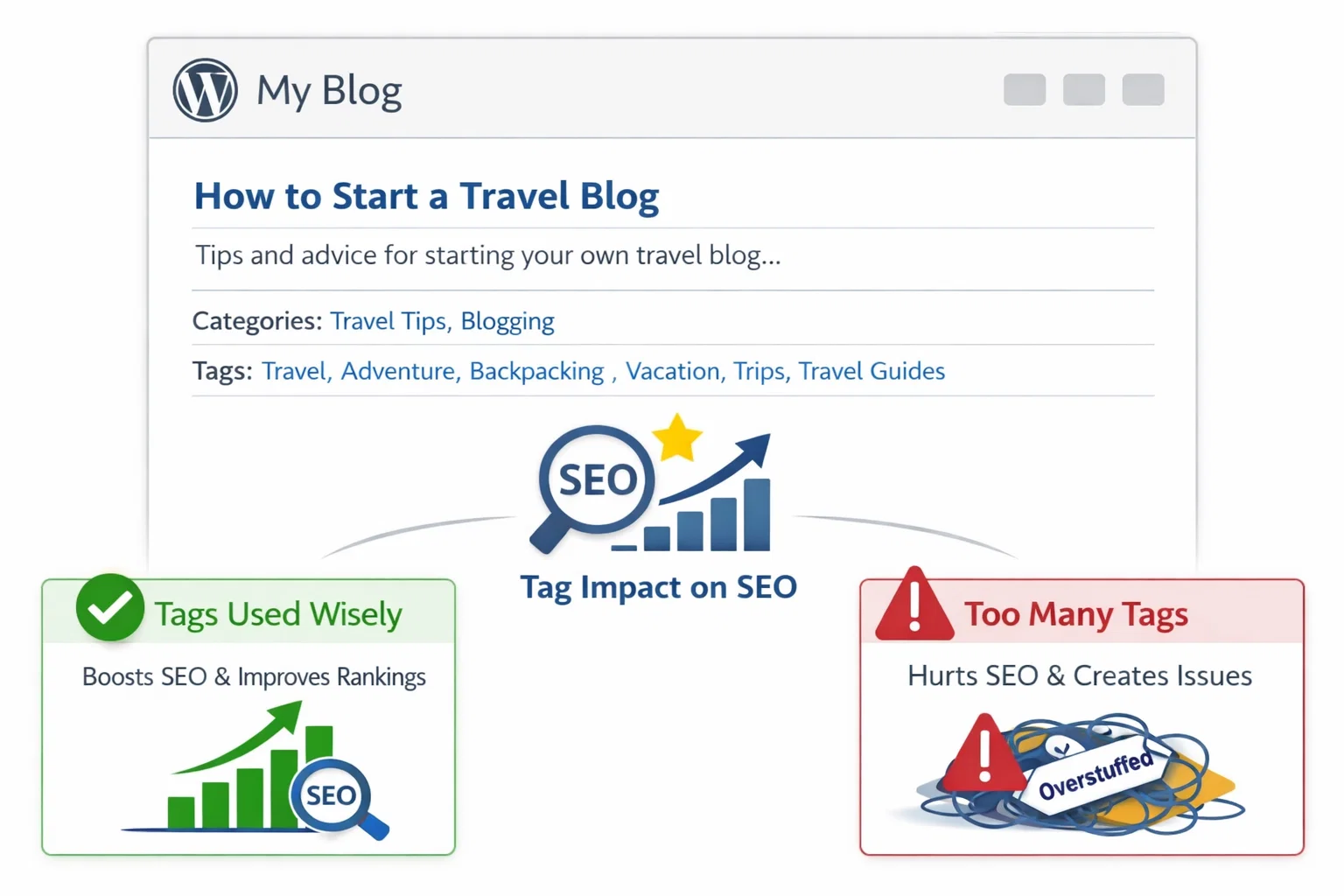
Yes, WordPress tags can help SEO by organizing related content and improving internal linking, but only when used correctly. If overused, tag pages can create thin or duplicate content and index bloat. For most websites, tags should be limited and often set to noindex.
Key Takeaways
- ✔ WordPress tags can support SEO by improving content organization and internal linking.
- ✔ Tags work best when they group multiple related posts into meaningful topics.
- ✔ Too many tags can create thin pages and duplicate content issues.
- ✔ Tag archives may cause index bloat, wasting crawl budget.
- ✔ Categories are better for site structure; tags should be optional and controlled.
- ✔ Many sites should noindex tag pages unless they are well-optimized.
- ✔ SEO Specialist USA can audit and clean up WordPress tags for stronger rankings.
What Are WordPress Tags? (Quick Explanation)
In WordPress, tags are a way to label and group blog posts based on specific details or micro-topics. They are part of WordPress’s built-in taxonomy system (the other main taxonomy is categories).
Think of WordPress tags as:
- Keywords or labels that describe smaller topics inside a broader category
- A way to connect related posts together for navigation
Example: Let’s say your website has a category called:
Category: Dental Marketing
Inside that category, you might use tags like:
- “local SEO”
- “Google Business Profile”
- “link building”
- “technical SEO”
- “reviews”
So categories represent the big structure, and tags represent smaller subtopics.
How tags work on WordPress
When you add a tag to a post, WordPress automatically creates a tag archive page, such as:
yourwebsite.com/tag/local-seo/
That tag archive page displays:
- All posts that contain that tag
- Often with only short excerpts
- Sometimes with no unique content
This is important for SEO because Google can index those tag pages, which can either help or hurt depending on how they are managed.
Difference between tags and categories (quick)
- Categories: broad topics (main site structure)
- Tags: specific subtopics (optional, flexible)
Most SEO best practices recommend:
- Use categories for structure
- Use tags sparingly and strategically
Do WordPress Tags Help SEO?
The honest answer is: WordPress tags can help SEO, but WordPress tags can also hurt SEO if they’re misused.
So tags are not “good” or “bad” by default, the SEO impact depends on how your site uses them and whether tag archive pages add value
When WordPress tags help SEO
Tags can support SEO when they:
1) Improve internal linking
Each tag archive page becomes a hub that links to multiple related posts. This can:
- Help Google crawl content faster
- Distribute authority across posts
- Strengthen topical relevance
2) Group content into meaningful micro-topics
If a tag represents a real subtopic (example: “technical SEO”), and it includes multiple strong posts, then that tag page can function like a mini-category page.
3) Improve user experience
Tags can help users explore related content and stay on the site longer — which supports engagement metrics.
When WordPress tags hurt SEO
Tags usually harm SEO when they create low-value pages, such as:
1) Thin tag archive pages
If a tag page contains only:
- 1–2 posts
- Short excerpts
- No unique intro text
…then Google may treat it as low quality.
2) Duplicate content issues
Tag pages often repeat:
- The same post titles
- The same excerpts
- The same content that exists on category pages
This creates duplication and confuses search engines about which page to rank.
3) Index bloat
If your site has hundreds (or thousands) of tag pages indexed, Google may:
- Waste crawl budget
- Index unnecessary pages
- Ignore important pages
This is especially common on blogs where people create tags like:
- “tips”
- “news”
- “2024”
- “SEO”
- “marketing”
…without strategy.
So… should you use tags?
Yes — but only if:
- You use a limited number of tags
- Tags represent real subtopics
- Tag pages are useful and well-structured
- You control indexing properly (index or noindex)
Not sure if tags are helping or hurting your rankings?
WordPress Tags vs Categories (Which Is Better for SEO?)
Both categories and tags help organize WordPress content, but they serve different purposes. For SEO, categories are usually more important, while tags should be used carefully to avoid thin pages and index bloat.
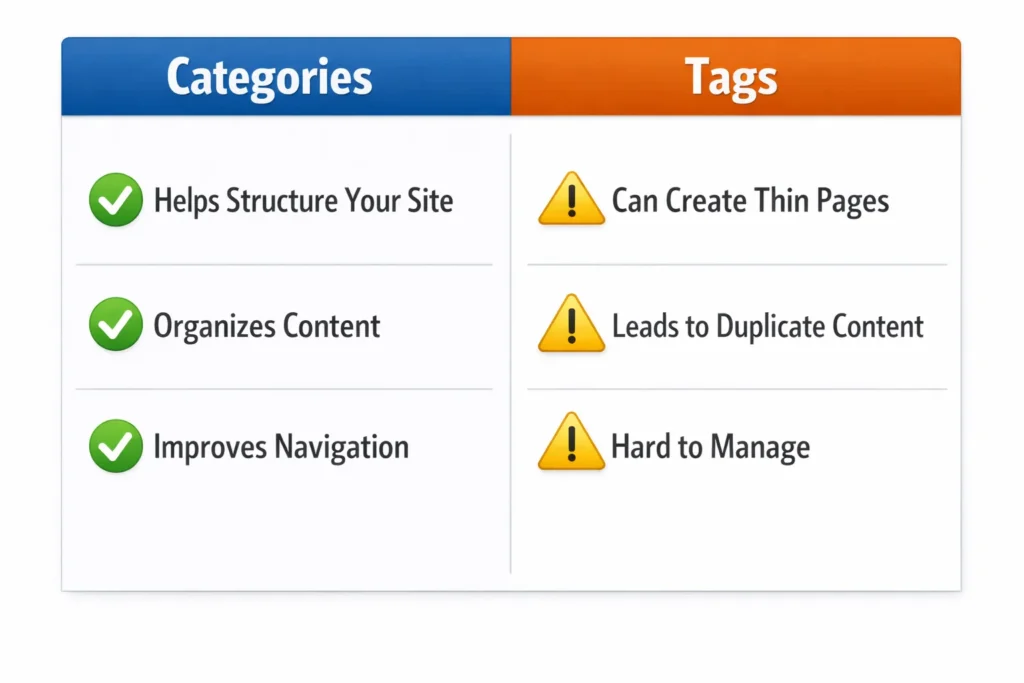
WordPress Tags vs Categories (SEO Comparison Table)
| Feature | Categories | Tags |
| Main purpose | Organize content into broad topics | Group content by specific micro-topics |
| SEO value | High (supports site structure + topical authority) | Medium/low unless managed strategically |
| Best used for | Main navigation and core topic grouping | Connecting related posts within categories |
| Ideal number | Limited (structured) | Very limited (avoid tag spam) |
| Creates archive pages | Yes (category pages) | Yes (tag pages) |
| Risk of thin pages | Lower (usually contains many posts) | Higher (often contains only 1–2 posts) |
| Duplicate content risk | Low/medium | Medium/high if many similar tags exist |
| Recommended indexing | Usually index | Often noindex unless optimized |
| Best practice | Use as your website’s content foundation | Use only when tags add real value |
Best Practice: Categories for Structure
Categories should act like your website’s main content pillars. Google understands category pages well because they define what the website covers.
Example:
- Category: WordPress SEO
- Category: Technical SEO
- Category: Local SEO
Tags for Micro-Topics (Optional)
Tags should only be used if they help group content in a meaningful way.
Example tags inside “WordPress SEO”:
- “RankMath”
- “Yoast”
- “Indexing”
- “Schema”
How Many Categories and Tags Should a Blog Have?
A good rule of thumb:
- Categories: 5–12 (depending on site size)
- Tags: only if needed, and avoid creating tags that apply to only one post
SEO Benefits of WordPress Tags (When Used Correctly)
WordPress Tag SEO Benefits Table
| Benefit | How It Helps SEO | Best Practice |
| Improves internal linking | Tag archive pages link to related posts, helping Google crawl content faster | Use tags only for real clusters of posts |
| Supports crawlability | Makes it easier for search engines to discover deeper blog posts | Avoid orphan posts and connect topics logically |
| Strengthens topical relevance | Groups content by micro-topic, helping Google understand what your site covers | Use tags for specific subtopics (e.g., “schema,” “indexing”) |
| Boosts user navigation | Users can browse related content, increasing engagement | Display tags only where useful (not everywhere) |
| Helps large content sites | Makes content organization easier on blogs with many posts | Tags work best when your site has a large blog |
| Creates topic hubs (optional) | Tag pages can act like mini category pages if optimized | Add intro text + optimize meta + ensure enough posts exist |
Quick Rule (Important)
Tags help SEO only if:
- the tag is used on multiple posts (ideally 5+)
- the tag archive page is valuable, not thin
- you avoid tag spam and index bloat
SEO Risks of WordPress Tags (Common Problems)
WordPress tags can become an SEO problem very quickly — especially when websites create too many tags without a strategy. Most SEO issues happen because tag archive pages generate lots of low-value URLs that Google can crawl and index.
To make this section easier to scan (and more SEO-friendly), here’s a clear table:
WordPress Tag SEO Risks Table
| Risk | What Happens | Why It Hurts SEO | Example |
| Thin tag pages | Tag archives contain only 1–2 posts with short excerpts | Google sees low-value pages and may ignore them | /tag/seo/ has only 1 post |
| Duplicate content | Tag pages repeat post titles/excerpts already shown on category pages | Creates duplication and ranking confusion | Same posts appear in category + tag archives |
| Index bloat | Hundreds of tag URLs get indexed | Crawl budget wasted + weaker site quality signals | 500 tag pages indexed with no traffic |
| Keyword cannibalization | Multiple archive pages target similar topics | Google doesn’t know which page to rank | category “SEO” + tag “SEO” compete |
| Tag spam | Too many random tags created per post | Creates messy structure + low relevance | tags like “tips”, “guide”, “2024” |
| Low-value URLs in Search Console | Many pages show “Crawled – currently not indexed” | Signals quality/indexing problems | Tag pages fail indexing repeatedly |
| Wasted internal link equity | Authority spreads across useless pages | Important pages get less ranking power | Blog posts lose strength due to too many tag links |
Should You Index or Noindex Tag Pages?
This is one of the most important WordPress SEO decisions.
Because WordPress automatically creates tag archive pages, you must decide whether those pages should be:
Indexed (allowed in Google)
or
noindexed (kept out of search results)
For most websites, the safest SEO approach is: noindex tag pages
But there are exceptions. Here’s the correct approach.
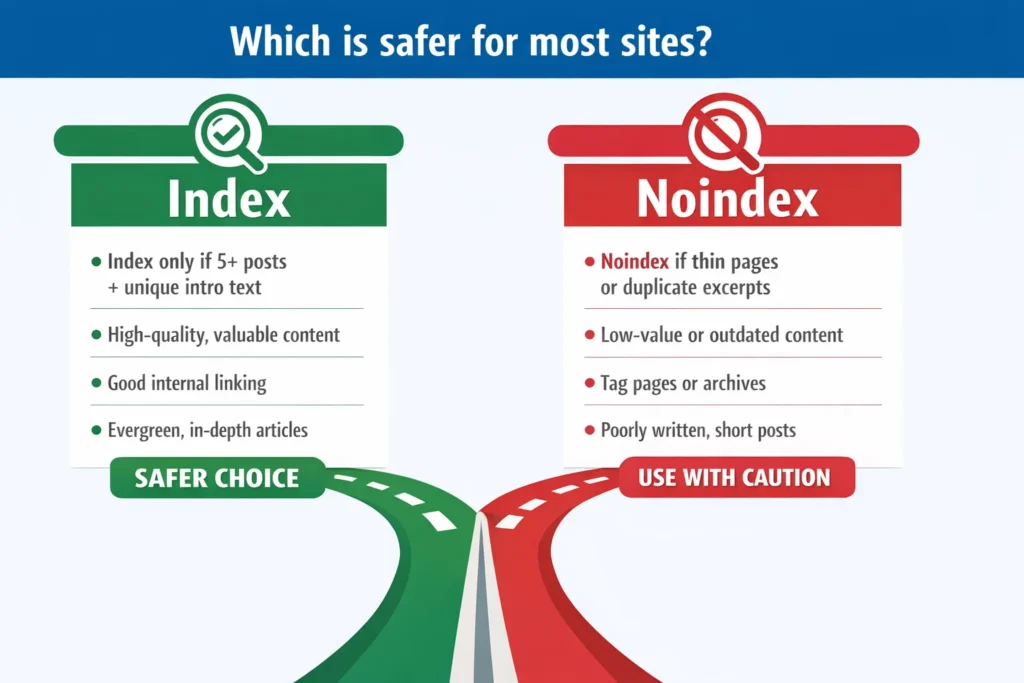
Index vs Noindex WordPress Tag Pages (Decision Table)
| Situation | Recommended Setting | Why |
| You have many tags, and most tags contain only 1–3 posts | Noindex | Prevents thin content + index bloat |
| Tag pages have no unique content (only post excerpts) | Noindex | Google sees low value / duplicate archive pages |
| Your categories already cover the main topics well | Noindex | Categories should be indexed, tags optional |
| Your site is small (blog has <50 posts) | Noindex | Tags rarely provide SEO value on small sites |
| Your tag pages are well-structured and contain 5–20+ related posts | Index (optional) | Tag pages can work like topic hubs |
| Tag pages have unique intro text + optimized title/meta | Index (optional) | Adds value and reduces duplication risk |
| You want tag pages to rank for specific keywords | Index (only if optimized) | Requires intentional SEO strategy |
When indexing tag pages makes sense
You should only index tag pages if they function like real content hubs.
That means the tag page should include:
- A unique description/introduction (not empty)
- A meaningful tag name (not generic)
- Enough posts (ideally 5+, better 10+)
- Optimized meta title + meta description
- Clean internal linking
If those conditions aren’t met, indexing tags usually creates more harm than benefit.
Best practice for most websites
For most WordPress blogs and business sites:
- Index categories
- Noindex tags
This gives Google a clean structure and prevents unnecessary archive pages from weakening the site.
Recommended Tag Strategy for Different Website Types
There isn’t one perfect tag strategy for every WordPress website. The right approach depends on how much content you publish, how competitive your niche is, and whether tag pages can realistically add SEO value.
Here’s the best strategy by website type:
WordPress Tag Strategy Table (By Website Type)
| Website Type | Recommended Tag Strategy | Index / Noindex Recommendation |
| Small blog (<50 posts) | Use categories only or very few tags | Noindex tags |
| Medium blog (50–200 posts) | Use tags sparingly for real subtopics | Usually noindex tags, index only if optimized |
| Large content site (200+ posts) | Use tags as content hubs (topic clusters) | Index only strong tag hubs, noindex weak tags |
| Local business website | Avoid tags (not needed) | Noindex tags (or disable tag archives) |
| SEO/marketing agency blog | Tags can support micro-topic clusters | Index only if tag pages have unique value |
| Ecommerce / WooCommerce | Avoid blog tags for product SEO; focus on categories/filters | Usually noindex tags, careful with archives |
| News / magazine site | Tags can help organize large volumes of content | Index only high-quality tag hubs |
Best practice summary
- Most business sites do not need tags at all.
- Most blogs should keep tags limited and noindex them.
Only large content sites should index tag pages — and only if those tag pages function like real SEO landing pages.
How SEO Specialist USA Can Optimize WordPress SEO
If your WordPress site has hundreds of tags, thin archive pages, or indexing issues, it can quietly weaken your SEO performance, even if your content is good.
At SEO Specialist USA, we help businesses clean up WordPress SEO issues and improve rankings through a structured, results-driven approach.
Our WordPress SEO Services Include
-
WordPress SEO Audit
- Crawl + indexability review
- Tag/category structure analysis
- Duplicate content and index bloat detection
-
Tag Cleanup Strategy
- Removing useless tags
- Merging duplicate tags
- Preventing tag spam going forward
-
Index Control & Archive Optimization
- Setting tag pages to noindex where needed
- Adding canonical rules
- Optimizing archive pages if they should be indexed
-
Technical SEO Fixes
- Core Web Vitals improvements
- Speed optimization
- Internal linking upgrades
Want to know if WordPress tags are hurting your SEO?
Get a WordPress SEO Audit
Need help fixing indexing and tag archive issues?
Book a Consultation
FAQs
Should I use tags in WordPress?
Yes, but only if tags help group multiple related posts into meaningful subtopics. If tags create thin archive pages or duplicate content, it’s better to limit tags or noindex tag pages for cleaner SEO.
Are WordPress tags bad for SEO?
WordPress tags are not automatically bad, but they often hurt SEO when overused. Too many tags can create thin tag pages, duplicate content, and index bloat, which weakens crawl efficiency and overall site quality signals.
Should WordPress tag pages be indexed?
In most cases, tag pages should be noindexed. You should only index tag pages if they contain enough related posts and have unique value, such as optimized content and a clear purpose as a topic hub.
How many tags should I use per post?
A good SEO guideline is 0–5 tags per post, depending on your strategy. Avoid adding tags that are used only once, because they create low-value archive pages that can harm SEO if indexed.
What is better for SEO: tags or categories?
Categories are better for SEO because they build your site’s main structure and topical authority. Tags are optional and should only be used for micro-topics. Many websites rank well using categories only.
Do tags create duplicate content?
Yes, tags can create duplicate content because tag archive pages often repeat post titles and excerpts already shown on categories and blog pages. This can confuse Google and create unnecessary low-quality indexed pages.
How do I remove tags without hurting SEO?
You can safely remove tags by deleting unused tags and redirecting important tag URLs if they receive traffic. It’s best to review Google Search Console data first and apply a structured cleanup strategy to avoid losing valuable indexed pages.
Should I noindex WordPress tags?
Yes, for most websites it’s recommended to noindex tag archive pages to prevent thin content and index bloat. Categories should typically remain indexed, while tags are best used for navigation rather than rankings.