

No, you can’t search or view competitor websites in Google Search Console. GSC only shows data for sites you own or have verified access to. To analyze competitors, you must use external SEO tools that provide public ranking, keyword, and backlink insights.
Key Takeaways
-
 Google Search Console does not allow you to view competitor data.
-
GSC only displays performance metrics for websites you personally verify.
-
To analyze competitors, you must rely on external SEO tools like Ahrefs, SEMrush, or SimilarWeb.
-
Competitor insights from GSC can only be inferred indirectly through keyword trends and performance comparisons.
-
GSC is designed for site owners only, not for competitive research.
Why Google Search Console Does Not Allow Competitor Searches

Google Search Console is built exclusively for website owners to monitor and improve their own site’s performance. For privacy and security reasons, Google does not allow users to access or view competitor data inside GSC.
Main reasons GSC blocks competitor access:
- Privacy protection Search performance, keywords, CTR, and ranking data are considered sensitive information.
- Ownership verification GSC requires site ownership verification before showing any data, competitors cannot be verified.
- Security standards Google prevents unauthorized access to internal ranking and search analytics.
- Platform purpose GSC is designed for diagnosing and improving your site, not spying on others.
- Legal compliance Allowing competitor data access could violate privacy and data protection laws.
Because of this, GSC can only show data for websites you control, making external SEO tools essential for competitive research.
What Data You Can Only See for Your Own Verified Website
Google Search Console gives detailed insights into your website’s performance, but only after you verify ownership. None of this data can be viewed for competitor sites, it is strictly private.
Data only available for verified websites:
- Search queries your site ranks for
- Impressions, clicks, CTR, and average position
- Pages that receive Google Search traffic
- Mobile usability reports
- Index coverage and crawl issues
- Sitemaps and indexing status
- Core Web Vitals performance
- Manual actions and security alerts
- Internal links and URL inspection
Why this matters: All of this information is confidential and cannot be accessed for any site you do not own. This is why GSC cannot be used for competitor keyword or performance research.
Safe & Legal Ways to Analyze Competitors (Outside Google Search Console)
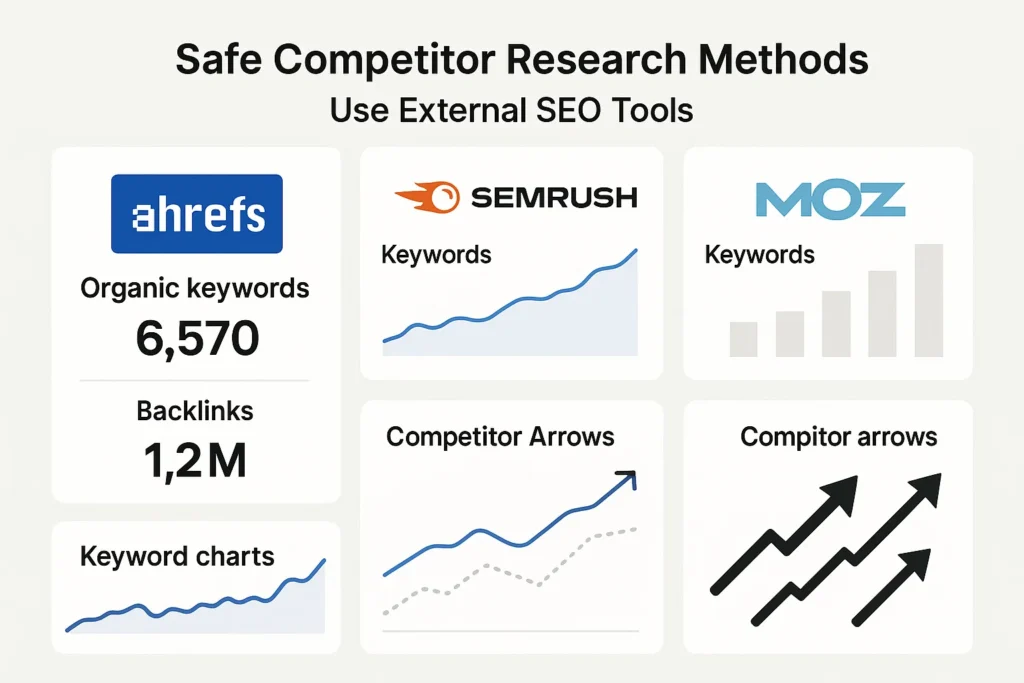
Even though Google Search Console doesn’t allow competitor research, there are several legitimate ways to study competitor SEO performance. These methods rely on publicly available data and industry tools, not private analytics.
Best ways to analyze competitors without GSC:
- Use SEO tools to view their organic keywords Tools like Ahrefs, SEMrush, Moz, and Ubersuggest show estimated rankings and traffic.
- Analyze competitor content manually Check what pages rank for your target keywords and study their structure and depth.
- Studying their backlink profile Tools can reveal who links to your competitors and why.
- Review their site architecture Look at menus, categories, and internal linking to understand content strategy.
- Track SERP features See where competitors appear in snippets, FAQs, images, or AI Overviews.
- Monitor publishing frequency Competitors who publish consistently may gain topical authority.
- Use social and PR tools Platforms like BuzzSumo show viral content and engagement metrics.
Important: All competitor data collected through these tools is estimated, not taken from Google Search Console.
Best Tools for Competitor SEO Research
Since Google Search Console does not show competitor data, you need external SEO tools to analyze rankings, backlinks, keywords, and overall performance. These tools use public data and advanced crawlers to give you accurate insights into what your competitors are doing.
Top competitor analysis tools:
- Ahrefs: Best for keyword research, backlink analysis, and seeing what content drives competitor traffic.
- SEMrush: Excellent for keyword gaps, competitor ranking trends, and PPC insights.
- Moz: Useful for link research, domain authority comparison, and SERP tracking.
- SimilarWeb: Estimates overall traffic, engagement, and top traffic sources for competitor sites.
- Ubersuggest: Budget-friendly tool for keyword ideas, content gaps, and basic competitor data.
- BuzzSumo: Great for analyzing competitor content performance, social shares, and trending topics.
These tools help you understand:
- What keywords your competitors rank for
- Which pages bring them the most traffic
- Where their backlinks come from
- Their content strategy and publishing patterns
- How your performance compares to theirs
Together, these tools provide the competitive insights that Google Search Console does not offer.
What Insights You Can Extract by Comparing GSC With Competitor Tools
Even though Google Search Console won’t show competitor websites, you can still combine your GSC data with external SEO tools to understand how you stack up against competitors. This hybrid approach helps you identify opportunities, weaknesses, and keyword gaps.
- Keyword gaps GSC shows your keywords, while Ahrefs/SEMrush show competitor keywords, revealing what they rank for that you don’t.
- Ranking opportunities Compare your GSC “low-hanging” keywords with competitor rankings to find quick-win optimizations.
- Content gaps GSC shows your top pages; external tools show competitor top pages — helping you identify missing topics.
- CTR comparisons If your CTR is lower than expected, competitors may have better titles/snippets or appear in SERP features.
- Traffic trends GSC highlights your performance; SimilarWeb shows competitor traffic estimates for strategic benchmarking.
- Backlink opportunities Compare your GSC internal link data with competitor backlink profiles to see who is linking to them, and why.
- Topical authority gaps If competitors rank for clusters of related keywords and you don’t, you can target these topics in your content plan.
Insights you can extract by comparing data:
Why this matters: GSC alone can’t show competitor insights, but when combined with external tools, it becomes a powerful strategic SEO system.
Why Choose SEO Specialist USA for Competitor SEO Analysis
Since Google Search Console doesn’t allow competitor research, you need expert tools and strategy to understand how your competitors are ranking. SEO Specialist USA helps you uncover competitor keywords, backlinks, content gaps, and ranking opportunities using advanced SEO tools and AI-driven analysis.
We provide complete competitor SEO audits that reveal:
- What keywords your competitors rank for.
- Which pages drive the most traffic.
- Their backlink strengths and weaknesses.
- Opportunities where you can outrank them.
- Missing topics and content clusters you should target.
- Clear action steps to improve your ranking faster.
Our team uses industry-leading tools like Ahrefs, SEMrush, and custom AI workflows to deliver accurate, actionable insights, all packaged in clean, easy-to-understand reports.
FAQs
Can I look up competitor websites in Google Search Console?
No. GSC only shows data for sites you own or have verified access to. Competitor sites cannot be viewed inside the platform.
Why doesn’t Google allow competitor data in GSC?
For privacy and security reasons. Search performance, ranking data, and keyword insights are confidential and only available to verified site owners.
How can I check competitor keywords if GSC blocks it?
Use tools like Ahrefs, SEMrush, Moz, or Ubersuggest. These platforms provide estimated keyword rankings and traffic for any site.
Can GSC show me how my rankings compare to competitors?
No. GSC shows only your data. You must use external SEO tools to compare keyword positions and traffic trends.
Is it legal to analyze competitor websites?
Yes, as long as you use public data from SEO tools and do not attempt unauthorized access to private analytics.
Which competitor data tools work best with GSC?
SEMrush, Ahrefs, and SimilarWeb pair well with GSC by filling in the gaps GSC cannot show.
Can I infer competitor performance using GSC alone?
Not directly. But you can spot trends or gaps that suggest where competitors may be stronger or weaker when combined with external data.
Final Thoughts on Competitor Analysis in GSC
Google Search Console is a powerful tool, but it only provides data for websites you own or verify. You can’t search, view, or analyze competitor websites inside GSC. To understand competitor keywords, rankings, and backlinks, you must rely on external SEO tools like Ahrefs, SEMrush, and SimilarWeb.
When combined with your own GSC data, these tools help you identify keyword gaps, content opportunities, and areas where you can outperform competitors. GSC is for optimizing your website, while third-party tools are essential for understanding your competition.