
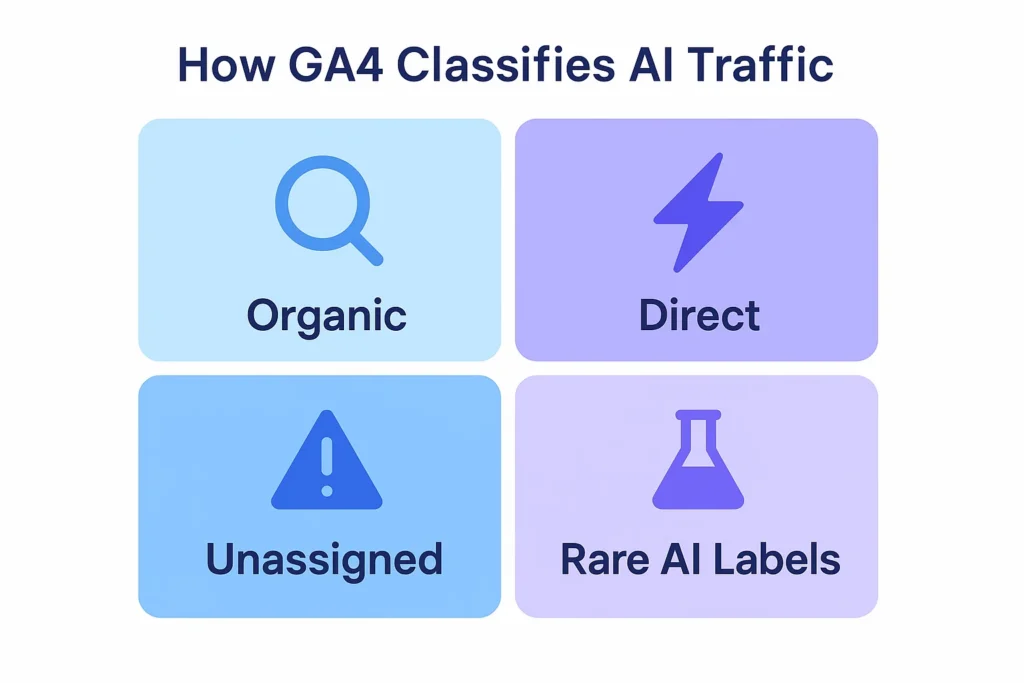
GA4 does not consistently show Google AI Mode (AI Overview/SGE) as a separate referrer. In most cases, GA4 categorizes AI-generated search traffic under google / organic, and sometimes as direct or unassigned when referrer data isn’t passed. Only rare cases show AI-labeled sources.
Key Takeaways
-
 GA4 doesn’t reliably show Google AI Mode (AI Overview/SGE) as a distinct referrer.
-
Most AI-generated search clicks are classified as google / organic, following standard search traffic rules.
-
Some AI-related clicks may appear as direct or unassigned due to missing referrer data.
-
A few reports show “Google AI” or “ai.google” in GA4, but these cases are inconsistent and not officially documented by Google.
-
GA4 has no dedicated channel or automatic labeling for Google AI Mode traffic as of now.
-
Tracking AI-generated traffic requires manual filters, custom channel groups, or analyzing changes in organic traffic patterns.
What Is Google AI Mode? (AI Overview / SGE)
Google AI Mode, also known as AI Overview or previously Search Generative Experience (SGE), is Google’s new AI-powered search feature that provides summarized answers, explanations, and insights at the top of search results. Instead of only showing traditional blue links, Google’s AI can generate an instant, context-aware response sourced from multiple websites.
This AI-generated box may include:
- A summarized explanation of the topic
- Citations or source cards linking to websites
- Follow-up question suggestions
- Shopping or product suggestions (for commercial searches)
Google AI Mode is designed to answer questions faster and help users understand complex topics without scrolling through multiple pages. When users click a link inside the AI Overview, they may visit a website the same way they would from traditional search results, but whether GA4 identifies this click properly depends on how the referrer is passed (and this is where analytics complications begin).
How GA4 Tracks Traffic Sources
To understand how Google AI Mode traffic appears in GA4, it’s important to know how GA4 classifies every incoming visit. GA4 uses a combination of source, medium, and default channel grouping to decide where traffic comes from. These values depend entirely on what information the user’s browser sends during the click.
How GA4 Assigns a Traffic Source
GA4 assigns traffic to one of the following based on the referrer and UTM data:
1. Organic Search: Triggered when the click contains a referrer from a recognized search engine (e.g., google.com). Most standard search traffic lands here.
2. Referral: Triggered when a user clicks from another website that passes a referrer but is not classified as a search engine.
3. Direct: Used when GA4 receives no referrer data.
This category often includes:
- Bookmarked visits
- App-to-web traffic
- Private browsing
- Link previews
- AI/SGE clicks where referrer is stripped
4. Unassigned: Used when GA4 cannot determine the traffic source at all, often due to tracking limitations or unsupported parameters.
5. Cross-network / Paid Channels: Specific to ads using UTM tagging or Google Ads auto-tagging.
Why This Matters for AI Mode Traffic
Because Google AI Mode sometimes opens links in a way that does not pass complete referrer data, GA4 may:
- Treat it as google / organic, if the referrer remains intact.
- Treat it as direct, if referrer data is removed.
- Treat it as unassigned, if metadata doesn’t match any channel rules.
This explains why AI Mode traffic is currently hard to distinguish in analytics.
Does GA4 Show Google AI Mode as a Referrer? (Detailed Explanation)
GA4 does not reliably or consistently show Google AI Mode (AI Overview / SGE) as a separate referrer. In most cases, AI-generated search clicks are grouped into existing Google sources rather than being labeled distinctly. This is because Google has not released an official referrer pattern or channel classification specifically for AI Mode.
How GA4 Handles AI Mode Traffic Today
- Most AI clicks show as google / organic. If the AI result opens a link in a way that preserves the referrer header, GA4 treats the visit the same as a standard Google Search click.
- Some AI clicks show as direct. If the referrer is sanitized, truncated, or not passed at all (common with AI interfaces), GA4 categorizes the visit as direct traffic.
- Some appear as unassigned. When GA4 cannot map the traffic to any existing rule, it is placed into “unassigned.”
- Rare cases show AI-specific labels Some marketers have shared screenshots showing “Google AI / organic” or “ai.google / referral,” but these cases are inconsistent, not universal, and not officially documented by Google.
- Most AI clicks show as google / organic. If the AI result opens a link in a way that preserves the referrer header, GA4 treats the visit the same as a standard Google Search click.
Why There Is No Consistent AI Referrer Yet
- Google AI Mode delivers results in different interface formats that don’t always pass standard referral data.
- GA4’s channel grouping does not include an AI-specific rule.
- There is no published referrer domain standard for AI Overview traffic.
- Google is still evolving its AI-generated search experience, so the tracking behavior is not finalized.
Verified Conclusion: Based on industry testing and current public documentation, GA4 does not officially or consistently identify Google AI Mode as a unique referrer. You may see organic, direct, or unassigned traffic, but not a guaranteed AI-specific label.
Why GA4 Does Not Label Google AI Mode Separately Yet
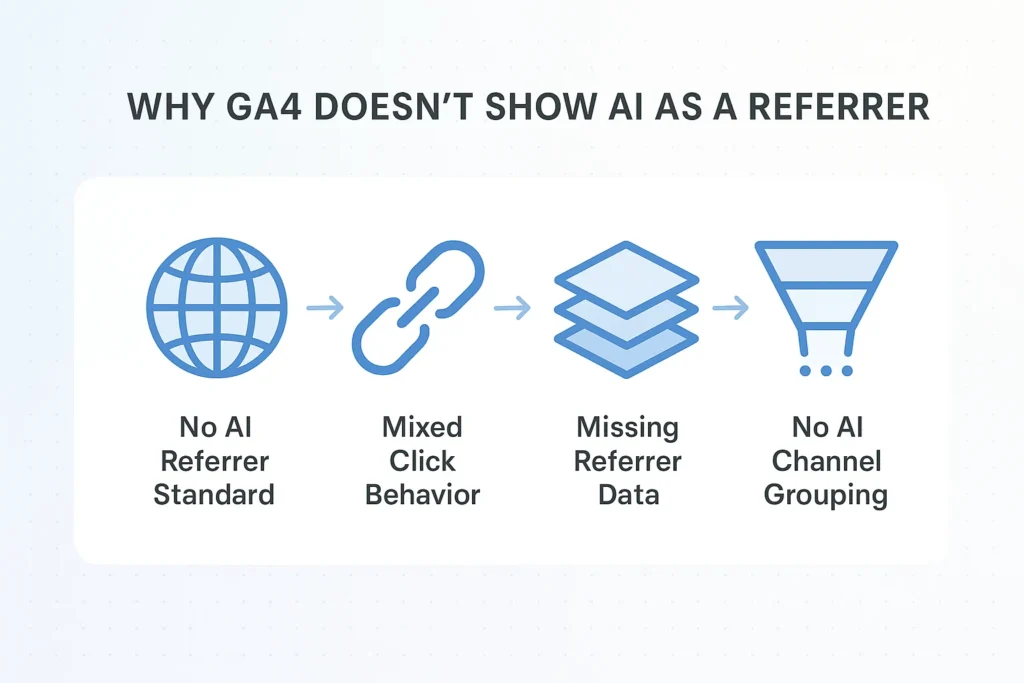
GA4 does not currently label Google AI Mode (AI Overview / SGE) as a distinct traffic source because the underlying technology and referrer behaviors are not standardized. Google AI Mode often passes incomplete or inconsistent tracking signals, making accurate identification difficult.
1. Google Has Not Released an Official AI Referrer Standard
There is no published documentation from Google specifying:
- AI Mode referrer domains
- AI-specific UTM parameters
- AI-to-site tracking behavior
- Any guaranteed browser metadata for AI Overview clicks
Without an official standard, GA4 cannot reliably classify this traffic.
2. AI Overview Uses Multiple Delivery Formats
Google AI Mode outputs results in different ways depending on:
- Search intent
- Query type
- Device
- User interface experiments
Some formats open links in the same window (preserving referrer), while others use overlays, previews, or transitions that remove or modify the referrer.
3. Many AI Clicks Trigger “No-Referrer” Scenarios
AI-generated answers often use mechanisms like:
- Preview modes
- In-app browsers
- Layered interfaces
- AI panels expanding in-page
These interactions frequently strip or downgrade referrer data, causing GA4 to treat traffic as direct or unassigned rather than “AI.”
4. GA4 Channel Grouping Has No AI Category Yet
GA4’s default channel groupings recognize:
- Organic Search
- Paid Search
- Referral
- Direct
- Cross-network
- Display
- Organic Social
…but not “AI Search” or “AI Overview.”
Until Google introduces an AI-specific grouping, classification remains mixed.
5. Google Is Still Evolving AI Search Behavior
Because AI Overview is still rolling out and changing rapidly, Google has not finalized the tracking behavior that analytics tools can rely upon.
Impact on Analytics Accuracy
Google AI Mode introduces new challenges for accurate traffic reporting in GA4. Because AI Overview often passes incomplete or inconsistent referrer data, GA4 may misclassify visits, making it harder to understand true performance, organic visibility, and user behavior.
1. Inflated Direct Traffic
AI-generated clicks frequently arrive without a referrer, causing GA4 to label them as “direct.”
This inflates your direct traffic numbers and hides the fact that users actually came from Google Search.
What this impacts:
- Misleading assumptions about brand familiarity
- Difficulty separating true direct visits from AI-assisted ones
2. Underreported Organic Search Traffic
When AI Mode classifies traffic as direct or unassigned, your organic search metrics may appear lower than they really are.
This affects:
- SEO performance evaluation
- Keyword impact analysis
- Organic trend forecasting
3. Incomplete Attribution Across Touchpoints
Missing referrer data breaks attribution chains, causing GA4 to lose insight into:
- First interactions
- Multi-step journeys
- Assisted conversions
- Returning visitor paths
This can lead to wrong assumptions about which channels are driving the most value.
4. Difficulty Measuring AI Overview’s True Impact
Because AI traffic blends into existing categories, it’s nearly impossible today to:
- Separate AI Overview clicks from traditional organic clicks
- Measure AI-driven impressions
- See how often users click AI citations
- Track how AI responses influence user behavior
Google has not released reporting tools to isolate AI Mode performance.
5. Channel Modeling Becomes Less Predictable
AI-generated search results reduce the predictability of:
- Top landing pages
- Keyword performance
- CTR trends
- Organic click distribution
Marketers may see sudden changes with no clear explanation in GA4 data.
6. Analysts Must Rely on Cross-Tool Comparison
Because GA4 alone cannot identify AI Mode traffic, marketers now compare:
- GA4
- Google Search Console
- Server logs
- Rank tracking tools
- Landing page pattern analysis
This triangulation helps estimate the influence of AI Overview.
How to Detect Google AI Mode Traffic in GA4 (Workarounds)
Because GA4 does not reliably label Google AI Mode as its own source, identifying AI-generated traffic requires indirect methods. These workarounds help you estimate when AI Overview is influencing your traffic, even without an official AI referrer.
Monitor Sudden Increases in Direct Traffic
If AI Overview begins surfacing your pages frequently, you may notice:
- Higher “direct” traffic
- More visits to deep blog articles
- More first-time users showing as direct
This pattern often indicates missing referrer data coming from AI-generated clicks.
Tip:
Compare “Direct” traffic month-over-month while checking for ranking improvements.
Compare GA4 With Google Search Console (GSC)
Google Search Console still counts impressions and clicks from AI Overview as Search results.
If GSC shows rising clicks but GA4 does not:
- The missing difference may be AI clicks categorized as direct or unassigned.
What to check:
- “Performance → Search Results”
- Landing pages with rising GSC clicks but flat GA4 organic traffic
Track Landing Pages Often Cited by AI Overview
Pages frequently shown in AI responses may receive traffic from AI Mode even without a visible referrer.
Typical pages include:
- How-to guides
- Definitions
- Product comparisons
- Medical, financial, or informational content
If these pages spike unexpectedly, AI Overview may be the cause.
Create a Custom Channel Grouping for AI Signals
In GA4, you can create a custom channel grouping to isolate potential AI traffic by filtering for:
- Source = google
- Medium = organic
- Page path matches AI-cited content
- Session default channel = direct
- Unassigned traffic going to informational pages
It’s not perfect, but it helps separate likely AI clicks.
Watch for Referrer Variations (Rare Cases)
Some properties occasionally see AI-related referrers such as:
- ai.google
- google ai
- google-ai/organic
These are uncommon and inconsistent, but they can appear if Google experiments with new referrer formats.
Tip: Check: Reports → Tech → Traffic source → Session source/medium
Use UTM Parameters for AI-Specific Experiments
If you are testing or monitoring pages likely impacted by AI Overview, you can manually track outbound clicks from your content by adding UTM parameters to certain links (e.g., newsletters, social).
This isolates non-AI traffic and highlights unexplained sessions that may stem from AI.
Monitor “Unassigned” Traffic for Spikes
Many AI-generated clicks fall into unassigned, especially on mobile devices where referrer stripping is more common.
If unassigned traffic increases while organic search impressions rise, AI Mode may be driving hidden clicks.
Will GA4 Add Google AI Mode as a Distinct Source in the Future?
Google has not officially confirmed whether GA4 will introduce a dedicated source or referrer label for Google AI Mode (AI Overview/SGE), but many signs suggest that separate AI attribution is likely in the future.
As AI-generated search results become a larger part of Google Search, publishers and analytics professionals are pushing for clearer reporting, especially as AI-driven clicks often appear as organic, direct, or unassigned in GA4.
Some users have already noticed early experiments in Google Search Console that display “AI Overview impressions,” hinting that Google is testing ways to surface AI-related insights.
Because GA4’s data model is flexible and can support new referrer patterns or channel groupings, adding an official AI sources such as “google-ai / organic”, is technically simple once Google formalizes its referrer standards.
However, Google has shared no timeline or official documentation, so while dedicated AI reporting is likely, it remains unannounced.
Why Choose SEO Specialist USA for GA4 & AI Search Analytics
Google AI Mode has created a serious tracking gap, and many businesses are unsure how AI-generated clicks are affecting their GA4 reports. This is where SEO Specialist USA steps in. We help you interpret shifts in direct, unassigned, and organic traffic, set up custom channel groupings, and build GA4 dashboards that highlight where AI-driven visits are likely hiding.
Our team focuses on clean data, accurate attribution, and practical insights so you can make confident decisions even while Google’s AI search experience is still evolving. If your analytics feel inconsistent or your organic metrics don’t match what you see in Search Console, we help diagnose the cause and design a long-term strategy that works across both traditional search and AI-powered results.
Final Answer on GA4 and Google AI Mode Referrals
Google AI Mode is changing how users find and click on website content, but GA4 has not yet adapted with a dedicated referrer or channel for AI-generated traffic. As a result, AI Overview clicks commonly appear as google / organic, direct, or unassigned, depending on whether referrer data is passed correctly. While occasional AI-labeled sources have been reported, they are inconsistent and not officially documented by Google.
Until Google provides standardized tracking for AI Mode, identifying AI-driven traffic requires the use of workarounds such as comparing GA4 with Search Console, monitoring landing page spikes, and analyzing unexpected increases in direct or unassigned sessions.
The landscape is still evolving, and more transparent AI attribution is likely in the future, but for now GA4 provides only partial visibility into how AI search impacts web traffic.
FAQs — GA4 and Google AI Mode Referrals
Does GA4 show Google AI Mode as a referrer?
GA4 does not consistently show Google AI Mode as a separate referrer. Most AI-generated clicks appear as google/organic, while others may show as direct or unassigned if referrer data isn’t passed correctly.
Why does AI traffic sometimes appear as direct in GA4?
Google AI Mode often opens links in ways that strip or modify referrer data. When GA4 receives no referrer information, it automatically classifies the visit as direct, even if the click originated from AI-generated search results.
Can GA4 reliably separate AI Overview clicks from normal organic search?
Not yet. GA4 has no built-in label, channel, or referrer tag for AI Overview traffic. Because Google hasn’t standardized AI referrer patterns, GA4 blends AI clicks into organic, direct, or unassigned categories.
Does Google Search Console report AI Overview clicks?
Search Console counts impressions and clicks from AI Overview as part of standard Google Search performance, but it does not separate AI Overview clicks into their own category. You may see increased clicks without a matching rise in GA4 organic traffic.
How can I estimate AI Mode traffic in GA4?
Use indirect methods such as monitoring direct traffic spikes, comparing GA4 to Search Console, tracking landing pages commonly cited by AI Overview, and reviewing unassigned traffic increases. These methods help approximate AI-driven behavior.
Will GA4 eventually show Google AI Mode as a dedicated source?
It’s possible and increasingly likely, but not confirmed. Early experiments in Search Console suggest Google is exploring AI reporting, yet GA4 has no official referrer or channel for AI traffic at this time.
Why do some people see “Google AI” in GA4 while others don’t?
These cases are inconsistent and not officially supported by Google. Variations can occur due to interface tests, device differences, browser behavior, or custom GA4 configurations — which is why AI labels cannot be relied on universally.