
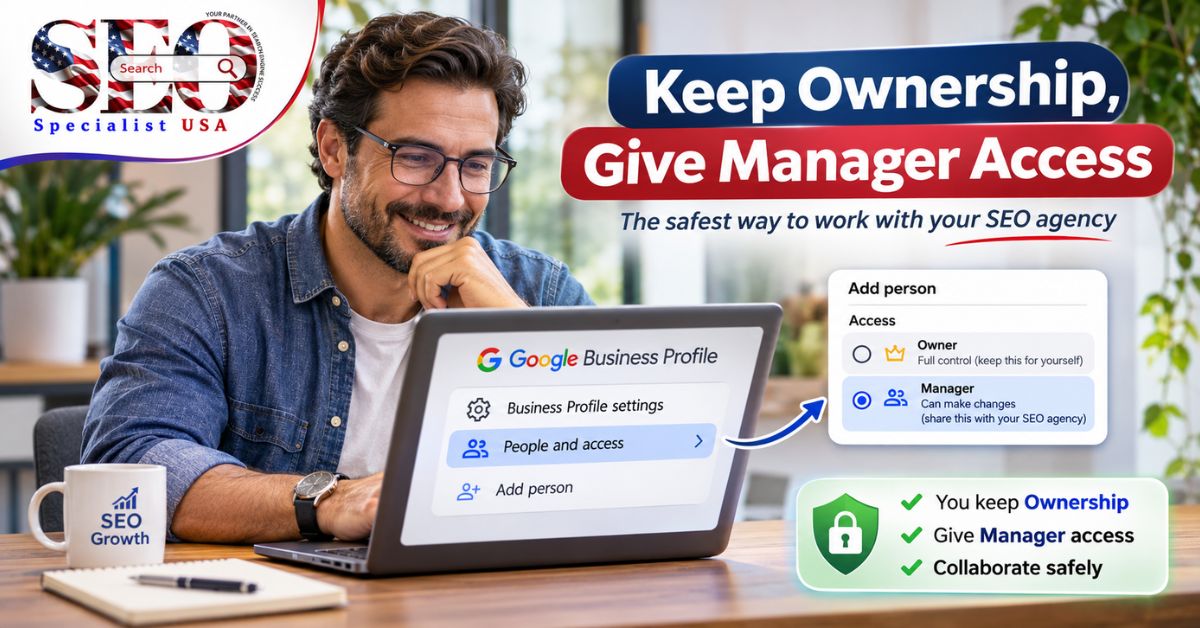
To share your Google Business Profile (formerly Google My Business) with an SEO agency, sign in as an owner, open your Business Profile on Google Search, select More (⋮) → Business Profile settings → People and access → Add, enter the agency’s Google Account email, choose Manager, and click Invite. Keep primary ownership of the profile and never send your Google password.
Key Takeaways
- Use Google’s People and access feature, not password sharing.
- Manager access is usually sufficient for routine Local SEO work.
- Confirm the agency’s Google Account email before inviting anyone.
- The agency must accept the invitation before access becomes active.
- Review the permissions list at onboarding and remove former providers when work ends.
Before You Start: 3 Things to Check
If another agency is the primary owner, resolve that before starting a new engagement.
Google calls the product Google Business Profile, although many business owners still use the older term “Google My Business” or “GMB.” Both refer to the same listing management system.
Step-by-Step: Invite Your SEO Agency to Your Google Business Profile
Find your business profile
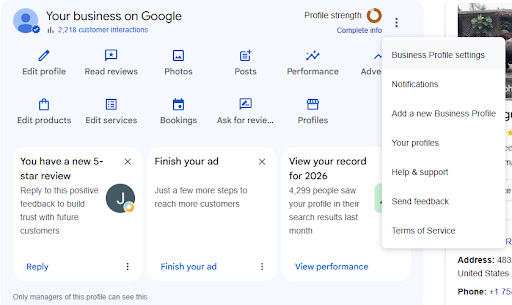
Open Google Search while signed in with an owner account. Search the exact business name or “my business.” Select the profile you manage. If multiple locations appear, choose the intended location. The first actual screenshot below shows the profile panel and the menu used in the next step.
Open the three-dot menu
In your Business Profile management panel, select More (⋮). Then choose Business Profile settings. If you only see public search results, check that you are signed in to the account with access.
Open People and access
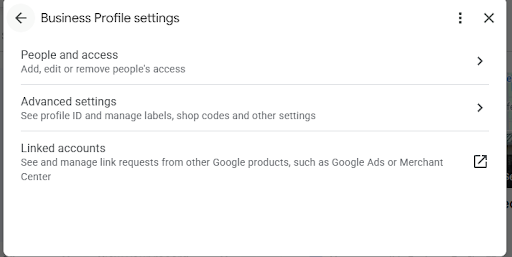
Select People and access. This page lists users and their permissions. If it is missing or you cannot add anyone, check whether you have Owner rather than Manager access.
Select Add
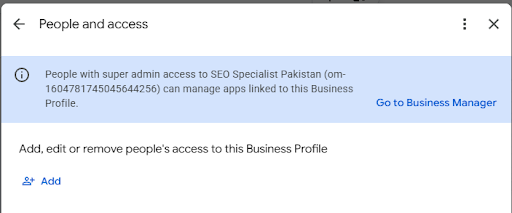
Select Add at the top left. Check the people already listed; do not remove the business owner or an active team member without confirming the consequences.
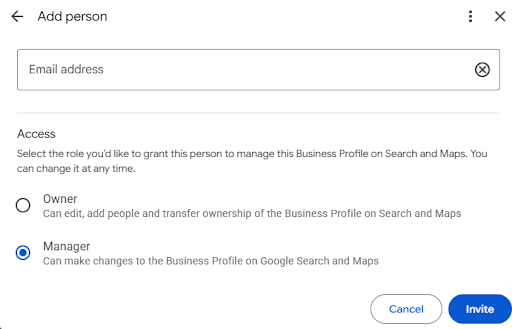
Enter the agency email and select Manager
Enter the agency’s confirmed Google Account email. Under Access, select Manager, not Owner, for ordinary GBP optimization and reporting. A Manager can edit most business details and respond to reviews but cannot control user access.
Click Invite and confirm acceptance
Select Invite. Google sends an invitation to the agency, which must accept it. Until accepted, the invitation can appear as pending. Ask the agency to confirm access and check the updated list yourself. The screenshot above shows the correct Manager option and the Invite button. After sending, ask the agency to check its invitation email and accept.
Should You Choose Owner or Manager?
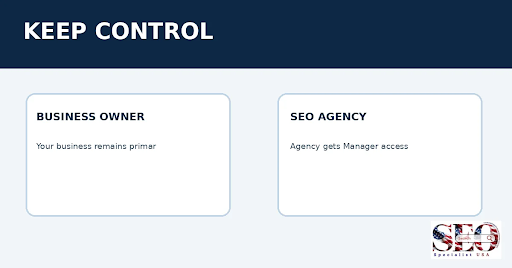
For most outsourced Local SEO projects, Manager is the safer default because it allows profile optimization without giving the provider authority over other users. An owner can also add or remove users; only the primary owner can transfer primary ownership.
| Task | Owner | Manager |
|---|---|---|
| Edit business details and hours | Yes | Yes |
| Manage photos and updates | Yes | Yes |
| Reply to reviews | Yes | Yes |
| View Business Profile performance | Yes | Yes |
| Add or remove profile users | Yes | No |
| Transfer primary ownership | Primary owner only | No |
Note: Google may impose a seven-day waiting period on certain actions for newly added owners or managers. Do not confuse that with the acceptance of the original invitation.
What Happens After the Agency Accepts?
A responsible agency should begin with a profile review, not a rushed series of changes. Ask it to record the current business name, primary category, service areas, opening hours, website URL, review response needs, photos, and performance baseline. Agree on changes that require your approval. The agency should report what was changed and why.
What Your SEO Agency Should Do With Access
| Area | Expected work | What you should see |
|---|---|---|
| Accuracy | Check business name, hours, address/service area, phone and URL | Documented corrections |
| Categories and services | Align valid categories and actual services | Change log and rationale |
| Reputation | Help respond professionally to genuine reviews | Response guidelines; no fake reviews |
| Performance | Monitor profile actions and local search visibility | Monthly report and next priorities |
| Local SEO integration | Coordinate website landing pages and relevant directory details | URLs, issues and fixes |
Connect your profile with website optimization
SEO Specialist USA provides Local SEO services that connect Business Profile management with website optimization and local visibility. Sharing Manager access is only the first onboarding step. It does not guarantee rankings, customer calls, or revenue.
Explore Our Local SEO ServicesTroubleshooting: If Sharing Access Doesn’t Work
| Problem | What to check or do |
|---|---|
| People and access is missing | Use the correct Google account; confirm Owner access; try Google Search or Maps. |
| Add button is unavailable | You may be a Manager or there may be a profile restriction; ask an owner to invite the agency. |
| Invitation not received | Verify the exact Google Account email, spam folder and pending invitations; cancel and resend if needed. |
| Old agency owns the profile | Ask the current primary owner to restore ownership to the business; use Google’s official ownership process if necessary. |
| Agency asks for a password | Refuse password sharing and use a Manager invitation instead. |
| Multiple locations | Agree which location(s) need access; agency business groups may require a different workflow. |
How to Remove an SEO Agency Later
Select the former provider and use the available Remove person control. Check who retains access after the change. Before offboarding, also retrieve campaign reports, any agreed content or assets, and a written record of profile changes.
Google may restrict removal or ownership actions in certain circumstances; when that happens, follow the guidance displayed in your account rather than attempting workarounds.
Security Checklist Before You Invite an Agency
- I own the profile or have confirmed who the primary owner is.
- I verified the agency’s Google Account email through an agreed contact channel.
- I chose Manager access for normal optimization work.
- I did not share my Google password or recovery codes.
- I know what edits need approval.
- I plan to review access when our agreement ends.
FAQs
Can an SEO agency manage my profile without my Gmail password?
Yes. Invite the agency’s Google Account as a Manager through People and access. Password sharing is unnecessary and unsafe.
Does a Manager control my Google Business Profile?
A Manager can perform most day-to-day profile work, but cannot manage owners and managers or transfer primary ownership.
Can I add more than one SEO agency or employee?
Google Business Profile supports multiple users. Give each person only the access needed, and audit the list periodically.
What if my old SEO agency is the primary owner?
Ask it to transfer primary ownership to your business account. If it refuses or cannot be reached, follow Google’s official request-access process.
Do I need to share Google Search Console or GA4 access too?
Those are separate products with separate permission systems. Do not assume Business Profile access automatically gives anyone access to website analytics.
Will adding an SEO agency improve my rankings?
Not by itself. The invite only grants access. Outcomes depend on the quality of eligible optimization work, competition, business relevance, proximity and other factors.
Can I remove an agency whenever I want?
An authorized owner can generally remove a user through People and access, subject to Google’s current restrictions and account state.
Final Advice From SEO Specialist USA
Granting access should take only a few minutes, and your business should keep control.
Choose Manager for routine agency work, check permissions before you click Invite, and expect clear documentation after onboarding.
If your Business Profile is poorly set up or your local visibility has stalled, SEO Specialist USA can review the profile, site, and local search priorities without asking for your account password.
Talk to SEO Specialist USA