
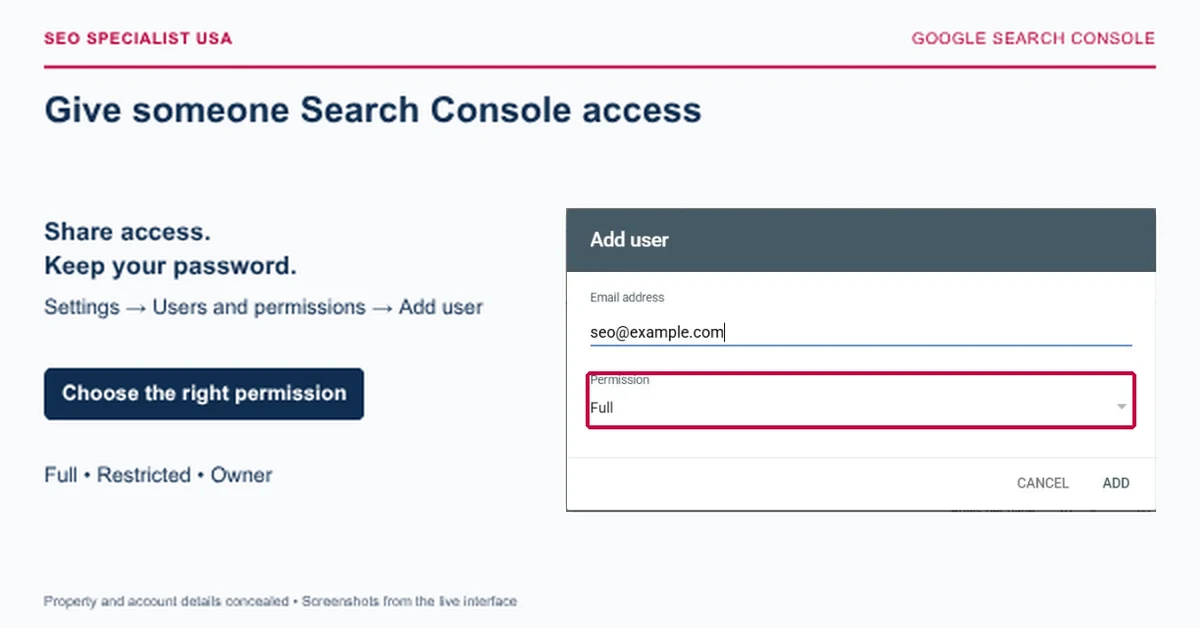
To give someone Google Search Console access, sign in as a property owner, select the correct website, and open Settings > Users and permissions. Click Add user, enter the person's Google Account email address, choose Full, Restricted, or Owner access, and save. They'll be able to access the property using their account.
Key takeaways
- Only a property owner can add or remove users
- You don't need to share your Google password
- Full access is generally suitable for an SEO specialist managing reports and technical tasks
- Restricted access is better when someone mainly needs to review data
- You can change or remove access later
How to add someone to Google Search Console in four steps
You can complete this process in a few minutes. Before starting, ask the person for the exact email address associated with their Google Account.
Step 1: Open Google Search Console and select your website
Go to Google Search Console and sign in with your Google Account.
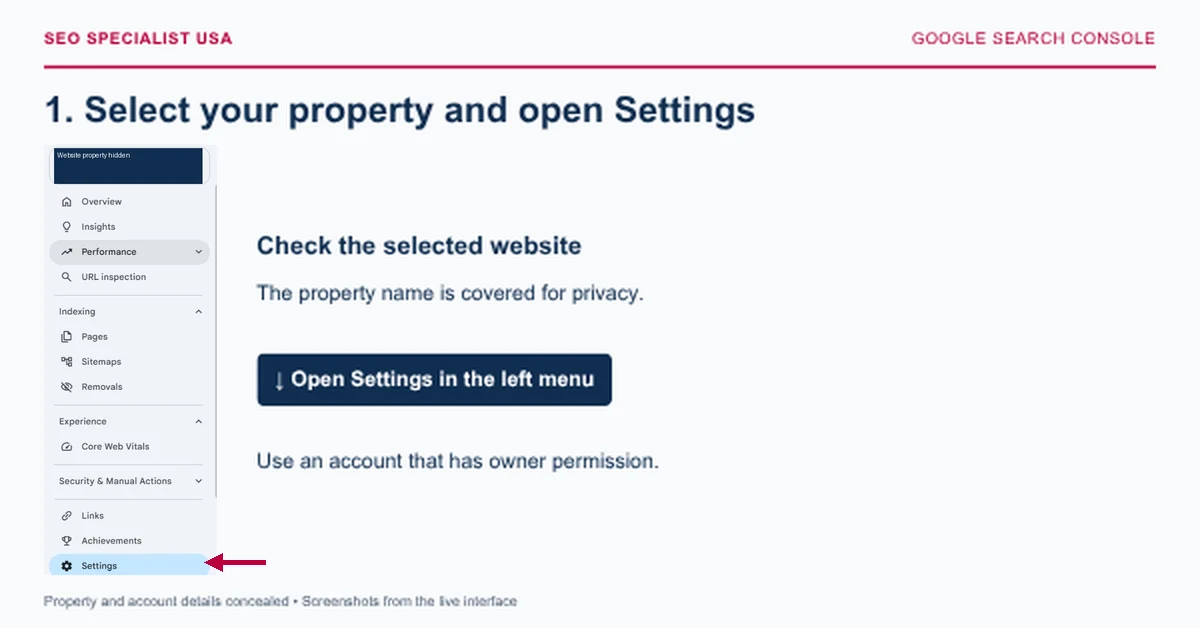
Use the property selector in the upper-left corner to choose the website you want to share. Check the property carefully, especially if you manage several websites or have both Domain and URL-prefix properties.
Step 2: Open users and permissions
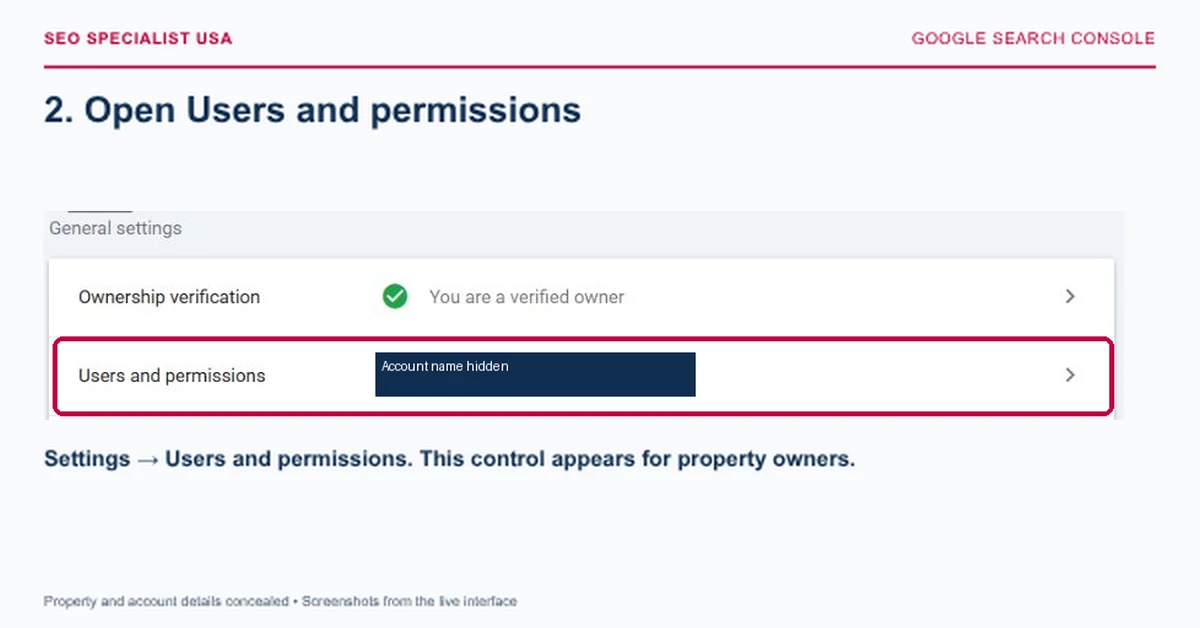
From the left navigation menu, select Settings, then click Users and permissions.
You'll see the people who currently have access and their assigned permissions.
Step 3: Add the user's email address
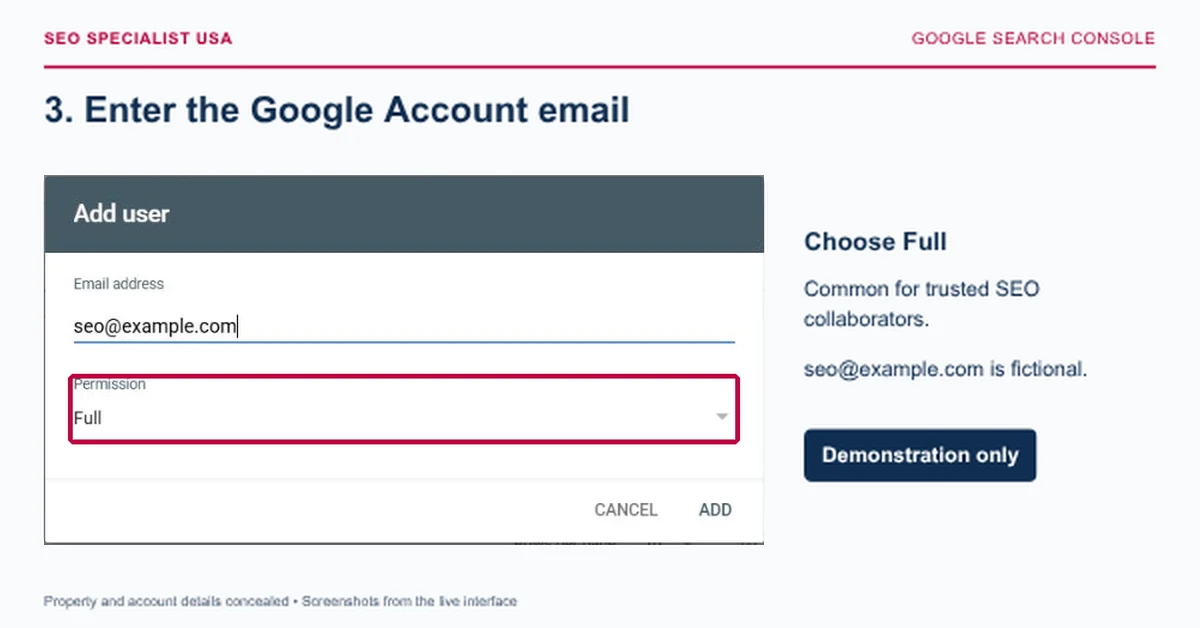
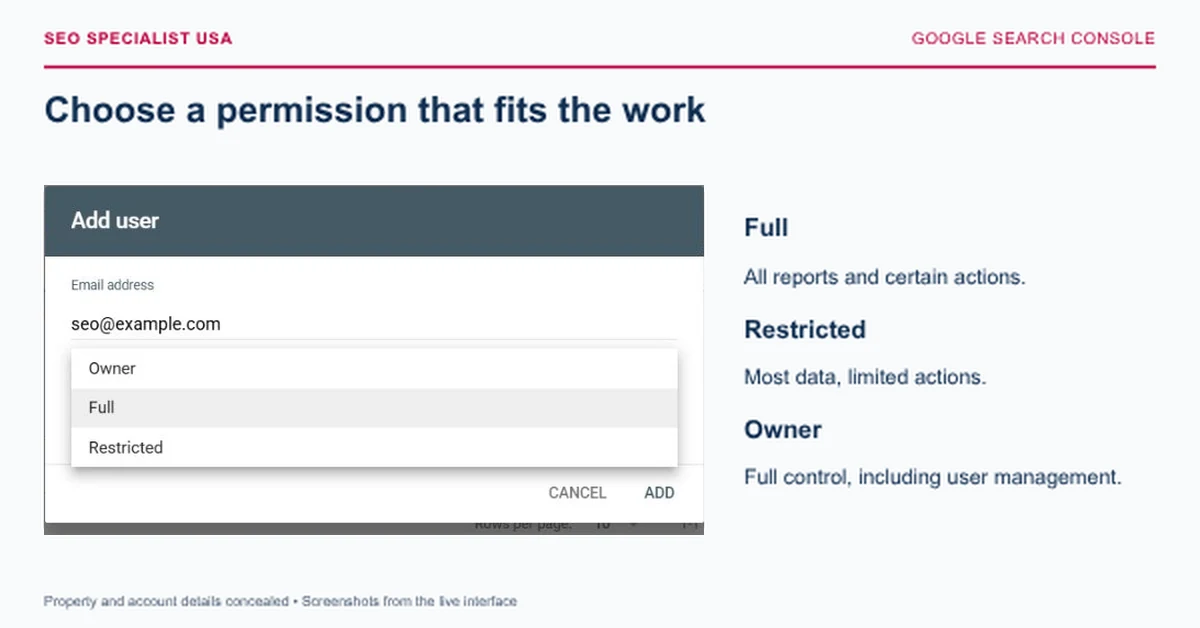
Click Add user, enter the person's Google Account email address, and select the appropriate permission level.
| Permission | What it allows | Best for |
|---|---|---|
| Restricted | Viewing most reports with limited actions | Clients or reporting-only stakeholders |
| Full | Access to all reports and certain actions, including sitemap submissions | SEO specialists and trusted team members |
| Owner | Full property control, including managing other users | Website owners or authorized administrators |
For most SEO agency collaborations, Full access is sufficient. You generally don't need to grant ownership just to let an agency analyze performance or investigate indexing issues.
Step 4: Save and confirm access
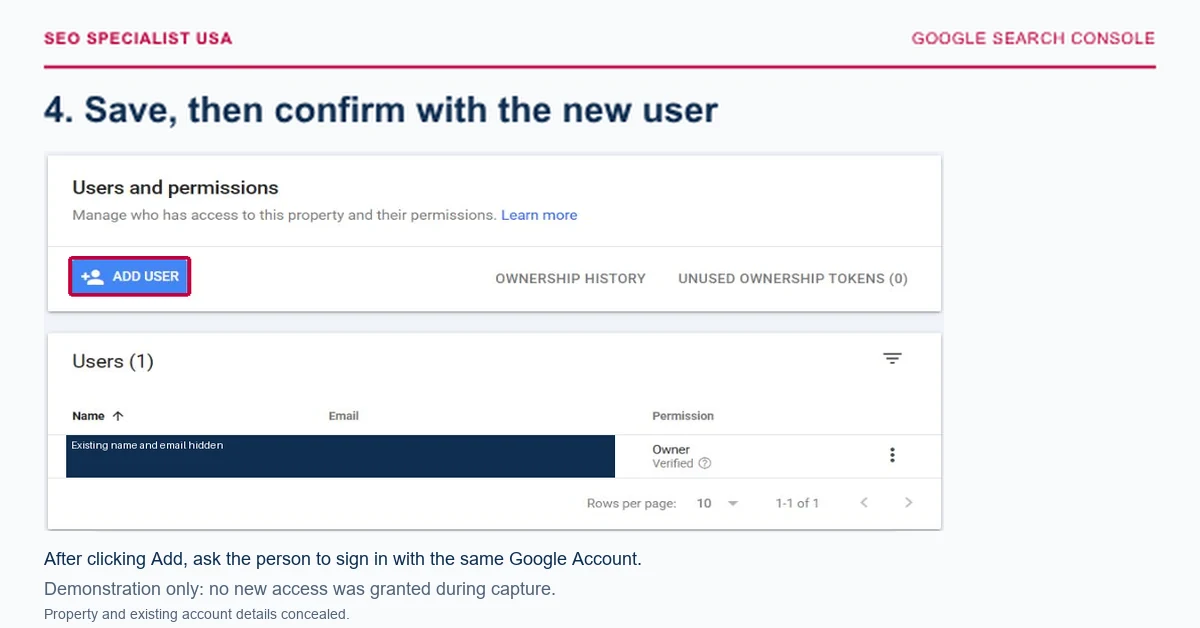
Click Add to save the permission.
Ask the new user to sign in to Search Console with the same Google Account and select the property. If the website doesn't appear, confirm that you entered the correct email address and selected the intended property.
Important: Giving someone Search Console access doesn't give them access to WordPress, Google Analytics, or your hosting account. Those permissions are managed separately.
How to remove or change someone's access
Open Settings > Users and permissions, locate the person, and open the three-dot menu beside their account.
Choose Change permissions to adjust their role, or Remove access to revoke it.
If you're removing a verified owner, you may also need to remove their ownership verification tokens to prevent them from regaining access.
Review the user list whenever an agency engagement ends or an employee leaves the company.
Why can't I add a user in Google Search Console?
If you can't see the Add user option, the most common reason is that your account doesn't have owner permissions.
Check the selected property and your own permission level. If you're a Full or Restricted user, contact an existing property owner to grant access on your behalf.
You should also confirm that the new user's email address belongs to a valid Google Account. A non-Gmail email can work if it's registered with Google.
Frequently asked questions
Can I give someone Google Search Console access without sharing my password?
Yes. Google Search Console lets property owners add other Google Accounts directly through Users and permissions. Each person signs in with their own credentials, so you don't need to share your password or give anyone access to your personal Google account.
What Google Search Console permission should I give an SEO agency?
Full access is generally appropriate when an SEO agency needs to review performance, investigate indexing problems, submit sitemaps, or perform other permitted tasks. Keep ownership under your control unless there's a specific reason to delegate it.
Why can't I see the Add user button?
You probably don't have owner-level permission for the selected property. Only property owners can manage other users. Check your permission level in Settings or ask an existing owner to add the person directly.
Can I remove someone's Google Search Console access later?
Yes. Open Settings, select Users and permissions, find the person's account, and choose Remove access from the three-dot menu. If the person was a verified owner, check for remaining verification tokens as well.
Does someone need a Gmail address to access Google Search Console?
No. The person needs a Google Account, but the account can use an eligible non-Gmail email address. Ask them to confirm their Google Account email so you can grant access to the correct account.
Need help understanding your Search Console reports?
Giving access is only the first step. If your website has indexing issues, declining organic traffic, or pages that aren't attracting the right visitors, SEO Specialist USA can help investigate the evidence and prioritize improvements.
Official reference: Google Search Console Help: Managing owners, users, and permissions