
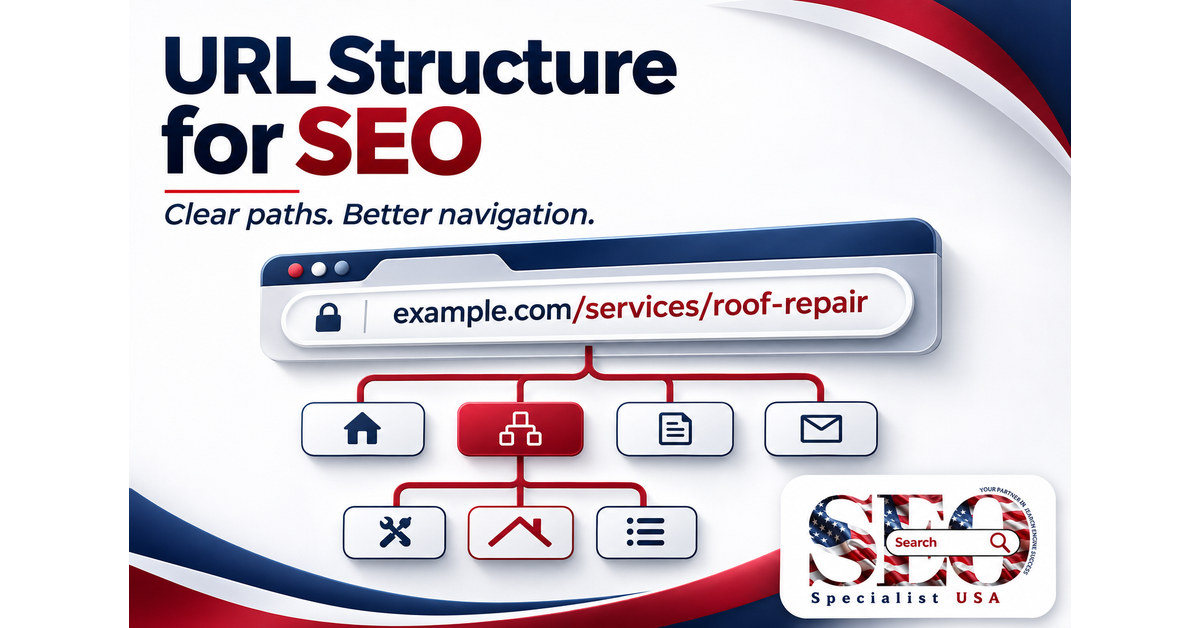
Optimize your website’s URL structure by choosing descriptive page names, using consistent formatting, and organizing content logically. For existing pages, check whether a change solves a real problem before editing the address. When a URL must move, redirect it, update references, and test the result.
A URL is a page’s web address. A descriptive address helps readers understand where a link leads. Reviewing your website’s URL structure also means checking how pages are grouped, whether duplicate addresses exist, and whether visitors can still use older links.
We’ll follow a fictional roofing business through these decisions. Its examples illustrate the process; they aren’t SEO Specialist USA client results.
Understand URL structure and its main parts
Use this example: https://example.com/services/roof-repair
You can read it in four parts:
- Protocol — https://: the connection scheme.
- Domain —
example.com: the website’s address. - Folder — /services/: a grouping in the URL path.
- Slug — roof-repair: the part identifying this page within that path.
The folder doesn’t have to represent a physical directory on the server. Together, these parts identify the resource.
HTTPS encrypts the connection. It doesn’t, by itself, prove that a business is trustworthy. The domain identifies the website, while the remaining path helps distinguish this page from its neighbors.
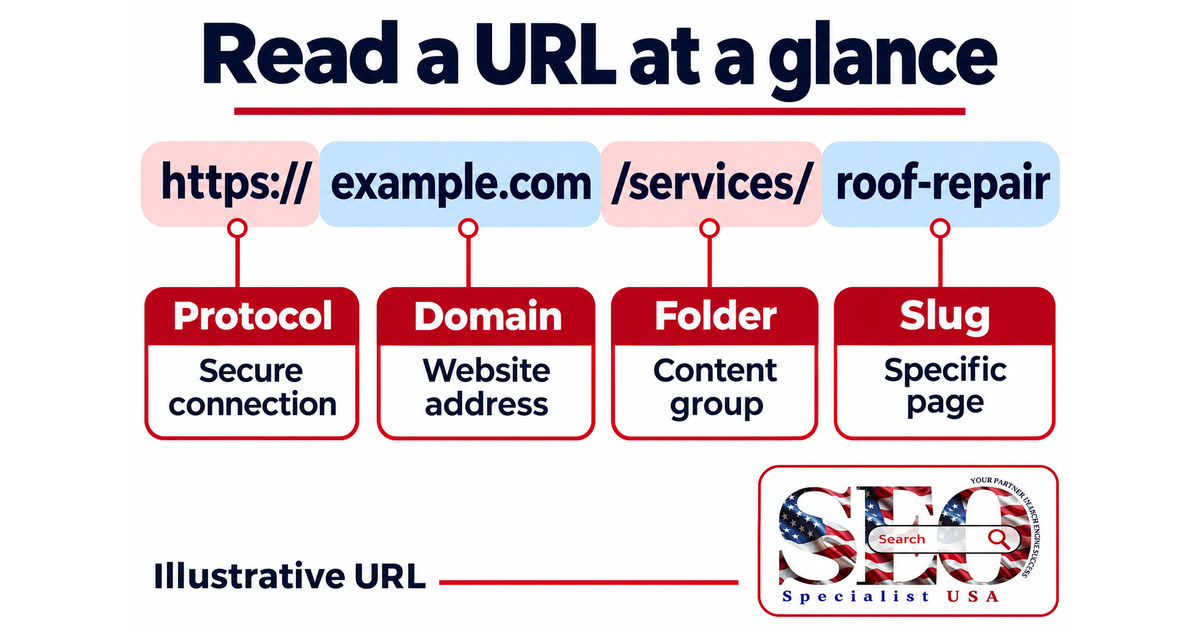
An address becomes easier to read when you recognize what each part does.
Two other pieces sometimes appear. A parameter follows a question mark, such as ?page=2
A fragment begins with a hash, such as #repair-costs, and commonly takes you to a section on the same page. Neither is automatically a mistake.
Google recommends descriptive URLs and a structure that people can understand. Its URL structure guidelines provide the technical foundation for those choices.
Decide whether an existing URL needs changing
Before opening your editor, ask what’s wrong with the current address. A shorter address is a preference; customers reaching a missing page is an access problem.
Keep an established address that works
Suppose /services/emergency-roof-repair/ describes the service accurately, loads correctly, and has links pointing to it. Replacing it with /roof-repair/ may remove useful meaning and create migration work. Keep the existing address unless you have a clear reason to move it.
A date or extra word doesn’t automatically justify changing a published URL either. Google’s SEO Starter Guide cautions against immediately reorganizing a site just to follow organizational suggestions.
Improve draft URLs before publishing
A new article might receive /our-complete-guide-to-the-best-roof-repair-tips-for-homeowners/. While it’s still unpublished, /blog/roof-repair-tips/ is easier to manage. It identifies the subject without carrying the whole headline into the address.
Investigate behavior that affects access or indexing
Broken links, competing versions of the same page, and endless filter combinations deserve closer attention. Check what each address actually returns. Two differently capitalized paths might redirect to one page, serve duplicates, or lead to different content depending on the server.
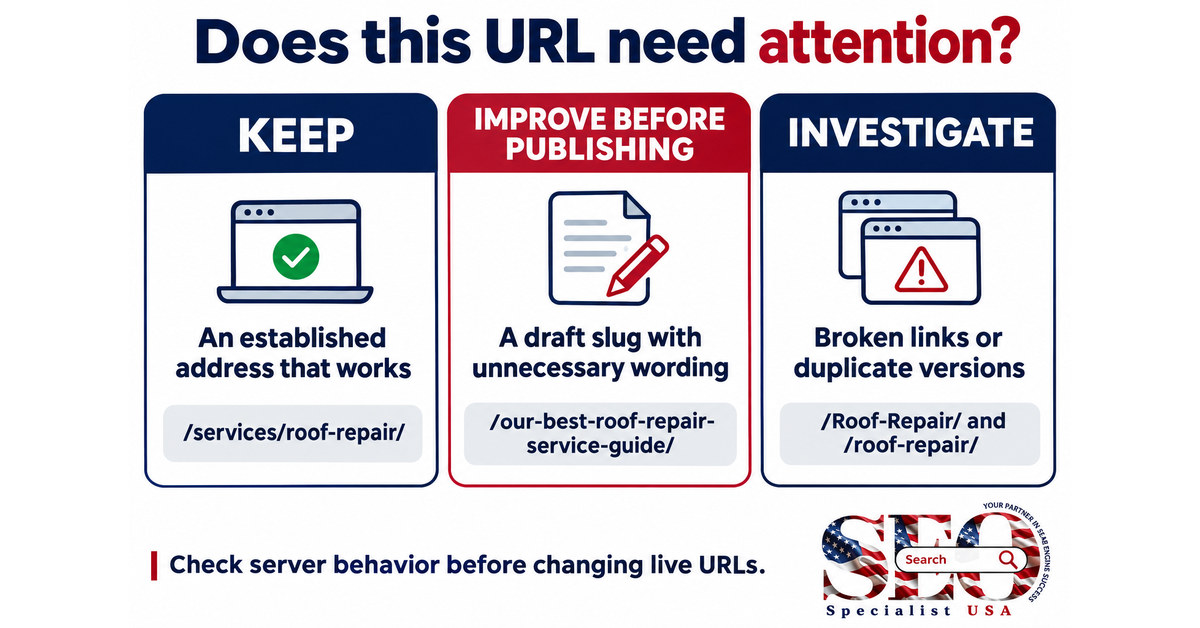
Choose an action based on the page’s behavior and purpose.
Create an SEO friendly URL slug
Name the page accurately
Start with the page’s subject. For a guide titled “How to Spot Roof Damage After a Storm,” /blog/storm-roof-damage/ communicates the topic. A service page offering an inspection needs different wording, such as /services/roof-inspection/.
Use the relevant keyword where it fits naturally. Repeating variations in /roof-repair-roofing-repair-services/ adds little clarity. A URL can’t compensate for content that fails to answer the searcher’s question.
Remove clutter without deleting meaning
Imagine a draft guide offering nine roof inspection tips for homeowners in 2026. A stable slug could be roof-inspection-tips. You can revise the headline later without making the address inaccurate.
Keep numbers that identify the subject, such as the model in /products/model-250/. A year can also distinguish an annual report from earlier editions. Remove a number when it only reflects a changeable list count. This keeps the slug useful as the content develops.
Keep connecting words when they help someone understand the phrase. There’s no need to turn every address into an awkward string of keywords. Use enough words to distinguish the page, without chasing a supposed universal SEO character limit.
Apply a consistent format
For new page paths, use lowercase letters and hyphens between words. Prefer roof-repair over Roof_Repair. If live variations already exist, review their responses before adding redirect rules; careless bulk rules can affect pages that were intended to differ.
A trailing slash is the final / in an address. Your preferred hostname is the domain version you use, such as www.example.com or example.com
Choose a consistent format for each and handle alternate versions appropriately. Neither www nor a trailing slash is an automatic ranking advantage.
For English content, simple English slugs are usually practical. International sites can use words in their audience’s language, including non-Latin scripts, with appropriate URL encoding. English-only addresses aren’t a universal Google requirement.
Organize URLs for blogs services and products
The roofing business needs different kinds of pages. Its addresses should make those differences understandable without tying every page to an unnecessarily complicated category tree.
| Page type | Illustrative path | Decision to consider |
|---|---|---|
| Blog guide | /blog/roof-maintenance/ | Keep the subject stable as the guide develops |
| Service | /services/roof-inspection/ | Describe the actual service clearly |
| Genuine location page | /locations/austin/ | Provide information specific to that service area |
| Product | /products/roof-sealant-250/ | Preserve a useful identifier if it distinguishes the item |
These are possible patterns, not mandatory templates. A small business may already have a simpler structure that works. Before adding a category to every product path, consider what happens when a product moves categories or belongs to several at once.
Location wording also needs substance behind it. A city in the URL doesn’t make a page locally useful. Include accurate availability, service details, and relevant information for that area instead of repeatedly swapping city names in otherwise identical copy.
Folder depth and click depth answer different questions
Folder depth describes the levels in a URL path. Click depth measures how many links someone follows from a starting page, often the homepage, to reach a page. The path /guides/roofing/maintenance/checklist/ has several levels, but a homepage link could make it one click away. A short /checklist/ address could still be hard to find.
Use folders to make the naming system understandable, and use navigation and contextual links to connect pages. Google explains in its site navigation guidance that it generally assesses site structure through links between pages rather than URL structure alone.
Manage duplicate URLs and query parameters
Understand parameters before removing them
Read the parameter’s purpose before changing it:
- Campaign tracking:
/products/sealant/?utm_source=newsletterrecords the newsletter source. - Sorting:
/products/?sort=pricechanges the order of the product list. - Pagination:
/products/?page=2opens the next results page.
Removing these parameters indiscriminately can break useful features.
Pagination needs distinct accessible addresses. Filter combinations require more planning: decide which produce useful standalone pages and which mainly create repetitive views. Google’s ecommerce URL recommendations explain these distinctions.
Start by checking the URL versions your website actually creates. On a large store, filters such as color, size, and price can combine to generate many addresses. This is called faceted navigation. Ask a developer to assess which combinations should be crawlable rather than removing every parameter.
Know when to use redirects and canonical URLs
A redirect forwards visitors and crawlers to another address. Use it when /old-roof-inspection/ moves permanently to /services/roof-inspection/. A canonical URL is the preferred address for equivalent content. A rel="canonical" annotation can signal that preference when another version, such as a tracking URL, remains accessible.
A canonical doesn’t move visitors, and Google may choose a different representative URL. Keep your internal links and sitemap consistent with your preferred address. The canonicalization documentation explains how those signals work together.
Don’t assume robots.txt blocking, noindex, and canonical annotations accomplish the same thing. Blocking crawling can prevent Google from seeing a page’s canonical annotation. Choose the control that addresses the actual problem.
Keep jump links separate from page addresses
A link ending in #repair-costs is useful for jumping to a section of a guide. A separate service page should have its own crawlable URL instead of relying on a fragment to represent different content. Google generally doesn’t support fragments as separate page identities for indexing.
Edit WordPress URLs at the right level
For a new draft, open its page or post editor and find the slug or link setting. The exact label depends on your WordPress version and editor. Replace the automatically generated wording with your chosen slug, then preview the resulting address before publishing.
Editing that field is different from changing Settings > Permalinks. The latter can change addresses across the website. On an established site, first document the current pattern and prepare any required redirects. Changing a global setting to tidy one article can create a much larger problem.
After changing a published slug, test the old address yourself. Don’t assume WordPress or an SEO plugin handled every case. Confirm the destination and check that visitors reach the intended page without passing through several intermediate addresses.
Change a published URL without breaking existing links
A URL change may be justified when pages merge, a section is reorganized, or an address misrepresents its content. Prepare a URL migration plan before editing published pages so you can redirect old links and check the replacements.
Record the current address and replacement
Create a URL mapping record with these fields:
- Old URL: the published address people already use.
- New URL: the relevant replacement.
- Reason: why the page needs to move.
- Test result: whether the redirect reaches the intended destination.
Record existing traffic and important links before the change so you have a baseline. The replacement should answer the same need; a homepage rarely substitutes for a specific service page.
Redirect directly and update references
Use a permanent server-side redirect, commonly a 301 or 308, where technically possible. Send the old address straight to the final destination. Then update internal links, the page’s canonical reference, and the sitemap. Review other references, such as language annotations, when they apply.
| Old path | New path | Reason |
|---|---|---|
| /roof-check/ | /services/roof-inspection/ | A clearer service address during a planned reorganization |
Google’s guide to changing URLs recommends permanent redirects, consistent updates, and monitoring. For migrations, it advises keeping redirects for at least a year; retaining useful redirects longer can continue helping visitors following old links.
Test redirects and monitor indexing in Search Console
Test each changed URL before reviewing traffic:
- Open the old address and confirm it redirects directly to the correct replacement.
- Check that the replacement returns a successful response, normally HTTP 200.
- Confirm the new page isn’t accidentally blocked from crawling or marked noindex.
- Check that its canonical points to the intended current URL.
- Follow internal links to make sure they use the replacement.
For larger sites, use a crawler to find broken links and redirect chains across the full URL list.
Use Search Console’s URL Inspection tool to review the replacement, then watch indexing and search performance over time. Processing isn’t immediate. A traffic change alone doesn’t prove that the new URL helped or hurt; content edits, seasonality, and other site changes may also affect results.
Check your URL structure before publishing
- Does the address identify the page without unnecessary repetition?
- Does its format match the website’s established conventions?
- Can visitors and crawlers reach it through relevant internal links?
- Are alternate versions handled according to their purpose?
- Do the canonical reference and sitemap use the intended address?
- If the page moved, does the old URL lead directly to its replacement?
For a new page, choose a clear address before publishing. For an existing website, start with the URLs that create access, duplication, or maintenance problems. A consistent naming system is useful; the page still needs accurate content and a place in the site’s navigation.
If several versions of your pages appear in search or you’re preparing a wider reorganization, SEO Specialist USA can help review the technical issues and plan the next steps.
Frequently asked questions
Does changing a page title change its URL too?
A title and a URL slug are separate fields. In WordPress, a published post’s slug usually stays the same when you edit its title. Review the link setting before saving, particularly if a plugin manages URLs. You can refresh a headline without changing an established address.
Should a URL match the article title word for word?
No. The title can explain the article’s promise in detail, while the slug identifies its subject briefly. A headline such as “How to Optimize Your Website’s URL Structure for SEO” can use a slug such as optimize-your-url-structure-for-seo. Keep enough meaning to distinguish it from related pages.
Will a shorter URL automatically improve rankings?
There’s no guaranteed ranking improvement from shortening an address. Concise wording can make a new URL easier to read and share, but changing a working published URL introduces redirects and other maintenance. Prioritize a clear subject and reliable access over a particular character count.
Can I update an article every year without adding a new URL?
Yes, when it continues to answer the same underlying question. Update the content and any visible dates accurately, and keep a suitable evergreen URL. Create a separate address when the year identifies a distinct resource, such as an annual report that readers may need to compare with previous editions.
Should every URL on my website be listed in the sitemap?
No. Include the canonical URLs you want considered for indexing. Tracking variations, redirected addresses, and pages deliberately excluded from search shouldn’t be added merely because they exist. A sitemap helps discovery and signals your preferred URLs; it doesn’t guarantee indexing.
Do I need the Search Console Change of Address tool for a new slug?
No. Google’s Change of Address tool is for moves between domains or subdomains, not path changes within the same domain. For a changed slug, implement the appropriate redirect, update references, and inspect the replacement URL. The same distinction applies when reorganizing folders without changing the domain.